01
Ingredient usage is hard to calculate
Menu sales are recorded, but their impact on ingredient stock and COGS stays unclear.
Restaurant Solution
Connect menu sales with recipes, ingredient usage, COGS, waste, and outlet reports. Built for restaurants that need operational numbers without waiting for manual recaps.
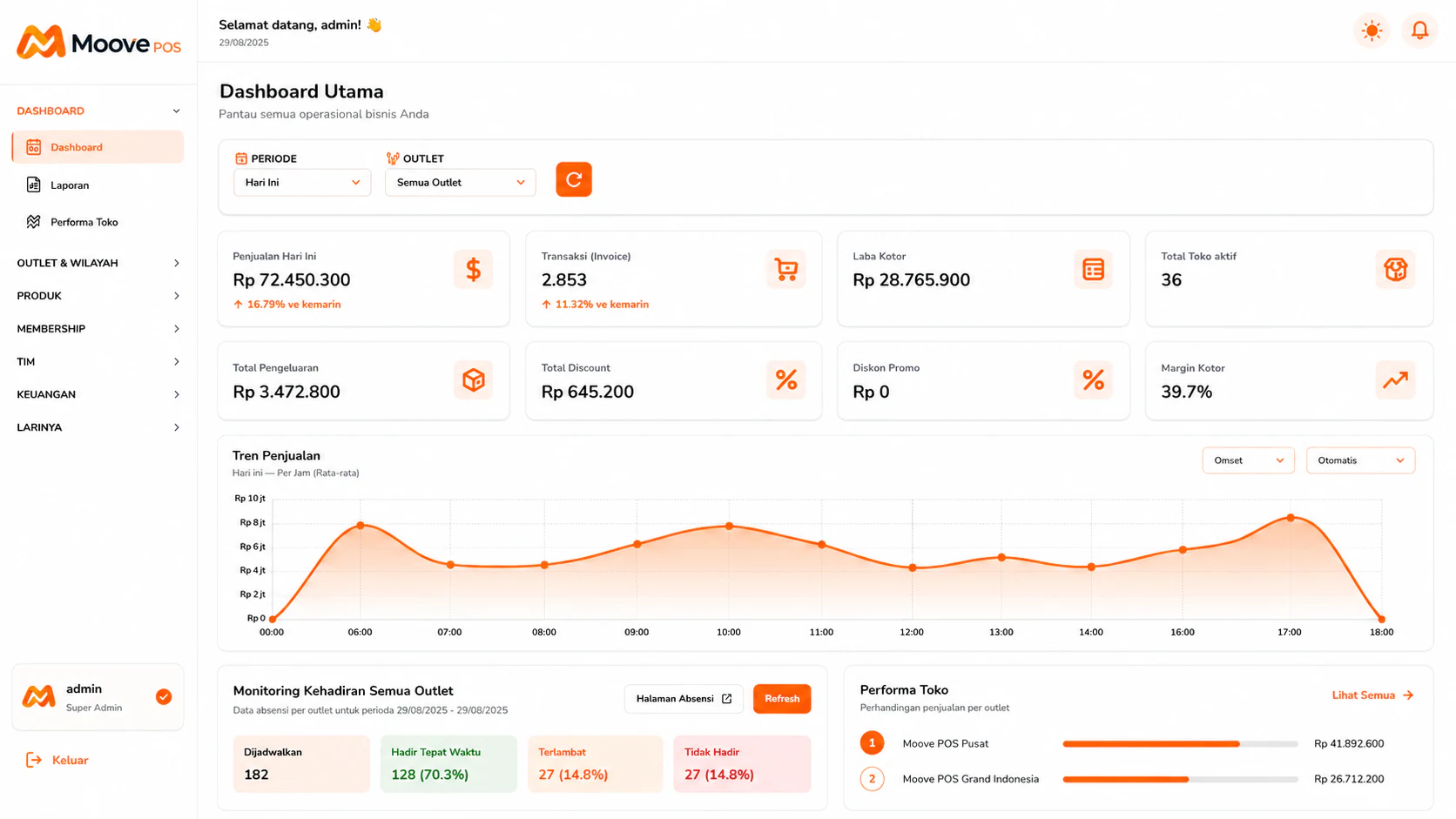
The central dashboard for reading transactions, gross profit, outlets, and store performance.
Common Problems
These problems rarely stand alone. When sales, inventory, and reports are separated, teams spend time reconciling numbers.
Menu sales are recorded, but their impact on ingredient stock and COGS stays unclear.
Spoiled ingredients or leftovers are logged as quantities, not as costs affecting margin.
Without COGS changing with ingredient prices, menu-level margins can be misleading.
Operating data flow
MoovePOS connects the transaction point with the data needed by operators and owners.
The team records orders and payments at the register, including during connection issues.
Each sold menu item reduces ingredients according to its configured recipe quantities.
Owners can read sales, ingredient costs, waste, and margins as one connected data flow.
Per resep
Ingredient usage connected
Harian
Waste can be logged
HPP
Clearer menu margins
These answers reflect currently available product capabilities without promising unreleased modules.
The team records orders and payments at the register, including during connection issues.
01Each sold menu item reduces ingredients according to its configured recipe quantities.
02Owners can read sales, ingredient costs, waste, and margins as one connected data flow.
03Recommended Plans
1 outlet for a small team. Unlimited transactions, item and ingredient stock, sales reports, offline mode, and WhatsApp support.
Rp 199.000/month
Most chosen. Up to 3 outlets & 15 users, multi-outlet. All Starter features plus crew management, full financial reports, and cross-outlet comparison.
Rp 399.000/month
MoovePOS
Bring the register, stock, or reporting workflow that still slows your team down. We will show where MoovePOS can remove repeated work.